Product marketers know the pattern: the feature list is ready, the landing page is almost ready, and then someone asks for “a short explainer video.” That request used to mean a week of scripting debates, a presenter booking, a UI capture day and a post house that charges by the revision. By the time the cut lands, the product UI has already moved.
AI explainer videos change the production math — not the storytelling job. A locked script, real product evidence and a controlled digital-human or hybrid pipeline can ship a 60–90 second master plus LinkedIn and ad cutdowns in days, including Cantonese and Mandarin when APAC buyers need them. Done well, you get clarity and speed. Done carelessly, you get a synthetic face reading a feature dump nobody finishes. This guide is for the first outcome.
TL;DR
- An AI explainer is a clarity asset, not a feature tour: one persona, one problem, one outcome — usually 60–90 seconds — with product UI as proof, not the whole runtime.
- Script and evidence come first: digital humans and generative B-roll accelerate production; they do not invent accurate claims, pricing or screenshots.
- Ship a multi-cut pack: master + short ratios + captions + language versions beat a single hero file that never leaves the homepage.
What Is an AI Explainer Video?
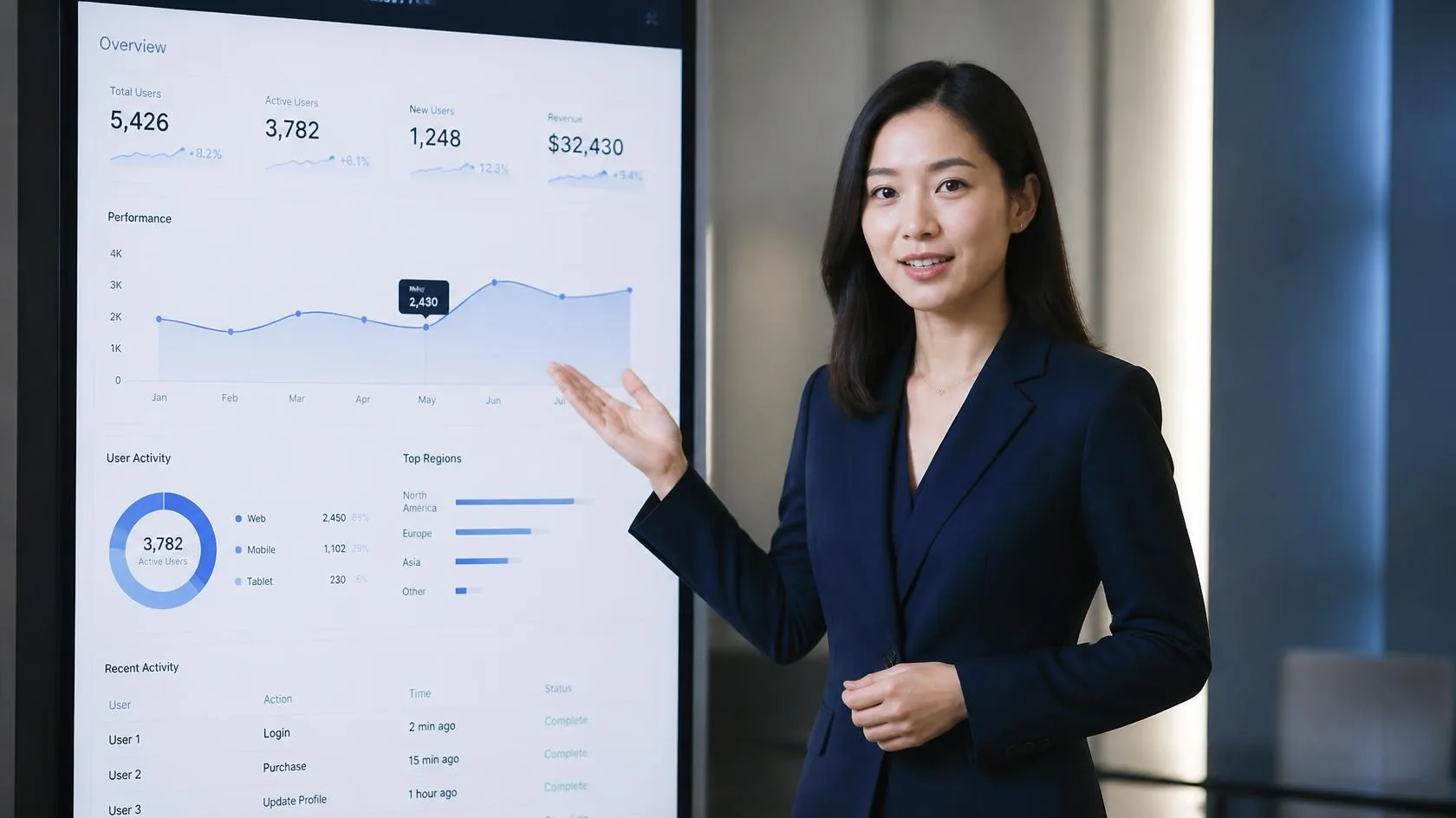
An AI explainer video is a short product or service story where some or all of the production is generated or AI-assisted: a digital human or AI spokesperson delivers the narration, synthetic or licensed voice matches lip sync, and generated B-roll, motion graphics or UI capture fill the picture. The brief stays human — audience, problem, proof and CTA — while talent booking, reshoots and multi-language re-takes shrink.
It is different from three neighbours on the same marketing calendar:
- Demo / walkthrough: mouse-led UI narration for people who already care. Longer, denser, sales-enablement heavy.
- Performance ad / UGC-style creative: hook-first social tests. (We covered that workflow in our AI UGC ads playbook.)
- Training module: internal accuracy and LMS packaging first. (See our AI training videos playbook.)
JoJo’s service list already groups explainers under Product Videos — product tours, demos, how-tos, launch and brand films — because buyers ask for them as a category, not as a one-off experiment.
When an AI Explainer Makes Sense (and When It Doesn’t)
A good fit
- Homepage and sales heroes that must stay current as UI and packaging change.
- B2B SaaS / marketplace / fintech explainers aimed at one ICP and one job-to-be-done.
- APAC language packs — English master plus Cantonese and Mandarin without three presenter bookings.
- Series consistency — the same brand spokesperson across quarterly feature drops.
Better with real people or a hybrid
- Founder-led trust moments where the CEO’s face is the proof.
- Regulated claims that need on-camera human ownership (health, finance, political/social-issue ads).
- Anything quoting a named customer without consent for likeness, voice and channel use.
Industry playbooks in 2026 converge on the same discipline: open on the buyer’s pain, keep the master near 60–90 seconds, show product UI for roughly a third of the runtime, and end on one specific CTA — not a feature menu. For a practical SaaS structure, see Vidxen’s explainer playbook and ngram’s production brief.
A 7-Step Script-to-Cut Playbook
1. Pick one persona and one job-to-be-done
Write the brief as a sentence: “For [persona] who struggle with [situation], this video shows how [product] helps them achieve [outcome].” If you need three personas, you need three explainers — or a longer demo. AI will happily generate a vague “platform for teams” video; buyers will not watch it twice.
2. Open on the problem, not the logo
The first five seconds decide completion. Name a concrete, recognizable pain (the Friday CRM copy-paste, the six-day legal review, the stockout that sales discovers on WhatsApp). Agitate the cost in hours, deals or customer trust. Only then introduce the mechanism — one sentence on how you solve it differently.
3. Write for the ear, then freeze claims
Target roughly 140–160 spoken words for a 60-second cut, 210–230 for 90 seconds. Short sentences. One idea per beat. Numbers and steps on screen. Get product, legal and brand to sign the script before generation. Changing a paragraph after lip sync is cheap; recalling a wrong pricing claim after the homepage ships is not.
4. Lock the presenter and the evidence pack
Choose a stock digital human or a custom brand spokesperson for series consistency. Assemble real screenshots, approved UI flows, product photography and any customer logos you are cleared to show. Generated imagery can illustrate metaphor and B-roll; it cannot invent that a feature exists. If the face or voice is based on a real person, get written consent covering scope, channels, duration and withdrawal.
5. Produce the master, then cut the pack
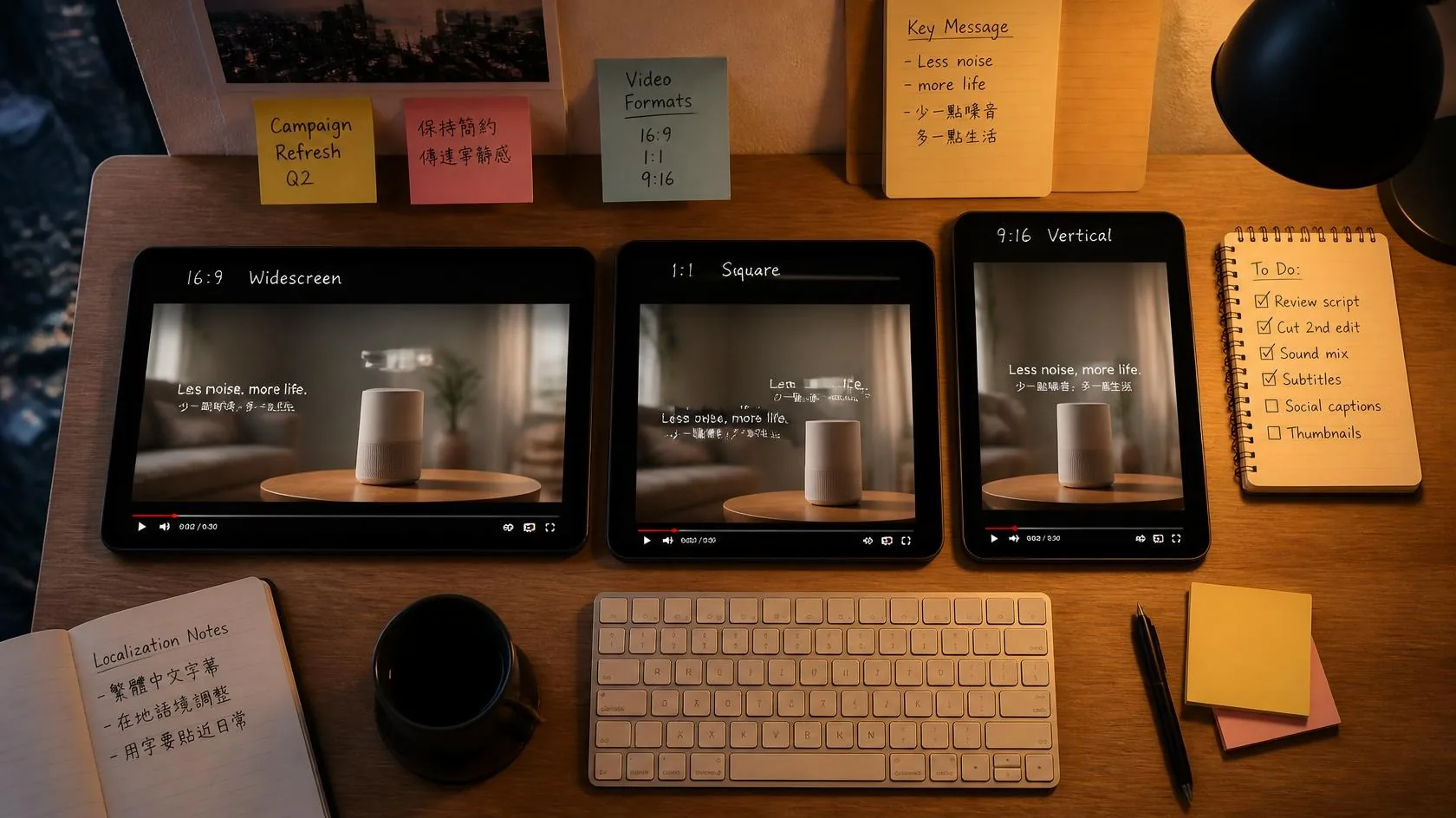
Approve one 60–90 second master for the website and sales deck. From that master, deliver a multi-cut pack:
- 30s / 15s / 6s for paid social and retargeting
- 9:16 and 1:1 for LinkedIn, Reels and Shorts
- Captioned versions for sound-off feeds and accessibility
- Optional founder VO alternate for warmer outbound
This is where AI-native production earns its keep: once the master is approved, aspect-ratio and caption variants are marginal cost — not another studio day.
6. Localize for Hong Kong and APAC, not just “translate”
From one approved master, produce Cantonese, English and Mandarin with Traditional Chinese on-screen text for Hong Kong and Taiwan where needed. Budget a native review for tone, product-name pronunciation and colloquial phrasing. A technically correct but stiff Cantonese track kills completion as fast as a bad English hook. Multi-language dubbing and localisation are available as add-ons on JoJo’s pricing page.
7. Measure past views
Completion rate, CTA click-through, demo-request lift and sales usage matter more than raw plays. If the CFO asks whether the video worked, answer with pipeline touch — not vanity VTR alone. Put a refresh date on the master: after each major UI release or packaging change, regenerate the affected beats rather than leaving last quarter’s buttons on the homepage.
Governance: Claims, Disclosure and Trust
External product video still creates trust and compliance risk. Before you scale an AI explainer pipeline:
- Human verification: product and legal proof every claim, screenshot and price. AI accelerates the draft; it does not own accuracy.
- Platform disclosure: Meta automatically labels many ads created or significantly edited with generative AI tools (including when C2PA provenance is detected). Political / social-issue ads have stricter self-disclosure rules for photorealistic AI depictions — check Meta’s current standards before you ship. See coverage of Meta’s AI ad labelling updates (e.g. Social Media Today, July 2026) and Meta’s own SIEP advertising policy.
- Sensitive inputs: keep unpublished roadmaps, customer PII and confidential pricing out of consumer GenAI accounts. Prefer vendors who will not train on your materials without consent — see how JoJo uses, and doesn’t use, generative AI.
- Label when it helps: for some audiences, a simple “AI presenter” note reduces confusion. Decide the rule with Legal once, then apply it consistently across the series.
What Does an AI Explainer Cost?
Cost follows scope: DIY avatar tools versus managed production, stock presenter versus custom digital human, length, languages, graphics pack and commercial usage rights.
As a reference point, JoJo’s published pricing starts from HKD 12,000 for 30 video seconds, and from HKD 20,000 for 60 video seconds that can be split across multiple videos. AI voiceover, multi-language dubbing and an AI digital spokesperson are available as add-ons. Compare quotes like for like: seconds, languages, revision rounds, cutdown count and whether the vendor will keep your product evidence off public training sets.
FAQ
How long should an AI explainer be?
Most B2B explainers work best at 60–90 seconds for the master. Shorter cutdowns (30s / 15s / 6s) carry the same core message into ads and social. Longer than two minutes usually belongs in a demo or webinar cut, not the homepage hero.
Should we use a digital human or a real presenter?
Use a digital human when you need series consistency, fast UI refreshes and multi-language delivery. Use a real founder or employee when trust is the product. Hybrid is common: human VO over AI-assisted picture, or a digital human for evergreen modules and a founder cut for launch day.
Can AI invent our product UI?
No. Treat generated UI as placeholder only. Final cuts should show approved screenshots or captured product flows. Invented interfaces create support tickets and legal risk.
How do we keep Cantonese versions natural?
Always budget a native review pass for tone, colloquial phrasing, product-name pronunciation and Traditional Chinese captions. Localization is not a machine-only step.
Our Thoughts
AI explainer video will not replace product marketing judgment. It replaces the false choice between “we cannot afford a video this quarter” and “we will live with last year’s UI on the homepage.” Treat digital humans as a production system: frozen claims, locked presenters, multi-cut delivery, scheduled refreshes and disclosure Legal can defend. Speed is the benefit. Clarity and trust make that benefit durable — and that is still an agency-plus-human job.
About Us
JoJo Ventures is an AI-native creative studio in Hong Kong. We help brands and enterprises turn generative AI into enterprise-grade content: AI video production, digital humans and AI avatars for campaigns and product explainers, performance ad creative and AI consultancy, with brand governance and human review built into every project. AI-led production can cut costs by up to 70% compared with traditional shoots, and our Pfizer campaign case study shows our process in action. You can also read how JoJo Ventures uses, and doesn’t use, generative AI.
Ready to pilot an AI explainer? Send us one approved product brief (persona, problem, three must-show UI beats and CTA) and we will scope a 60–90 second master plus cutdowns — with optional Cantonese and Mandarin. For quick supporting stills and on-screen graphics, try JifChat.
- Email: business@jojo.ventures
- WhatsApp: +852 9853 7469
- Address: Unit D, 16/F, Boton Technology Innovation Tower, 368 Kwun Tong Rd, Kwun Tong, Hong Kong
Ready to scale your content?
Join Enterprise Brands, leverage our AI creative studio to produce stunning, platform-ready videos at a fraction of the cost.